
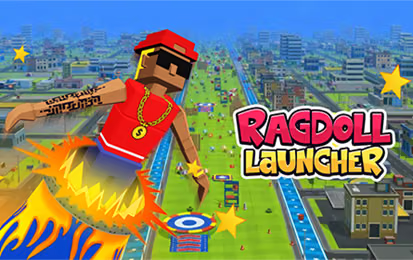

About Ragdoll Launcher
Ragdoll Launcher turns a single shot into a distance attempt. Your launch direction and timing set the opening path, then midair movement helps guide the character toward a useful bounce. Trampolines and TNT can extend momentum, while obstacles and weather interfere with the route. Distance rewards support upgrades between runs.
How to Play Ragdoll Launcher
- Watch the cannon and power indicator before choosing a shot.
- Click to launch at a useful moment.
- Drag during flight to make a small directional adjustment.
- Look for a reachable boost and compare the final distance after the attempt.
Controls & Timing
The first bounce is useful feedback about your shot. If the character drops before reaching a boost, revisit the launch instead of trying to correct the entire route in midair. Use small drags so you can recognize how much the airborne input changes the trajectory.
Controls
| Input | Action |
|---|---|
| Mouse click | Launch from the cannon |
| Mouse drag in flight | Adjust airborne movement |
High Score Tips
- Keep your launch timing consistent for several attempts while learning the effect of a directional change.
- Pick a reachable boost along your current flight instead of steering toward every bonus on screen.
- Watch the exit from a trampoline or TNT boost; the extra speed still needs a route through the next obstacle.
- Compare distance before and after an upgrade without changing every launch decision at once.
Key Features
- Cannon-based distance attempts
- Midair drag control
- Momentum boosts, hazards, and upgrades
Frequently Asked Questions
How do I steer after launching?
Drag the mouse while airborne to influence the character’s route.
Are all collisions bad?
Some objects, such as trampolines and TNT boosts, can extend the flight. Judge the path after the impact as well as the object itself.