
About Mr Flip
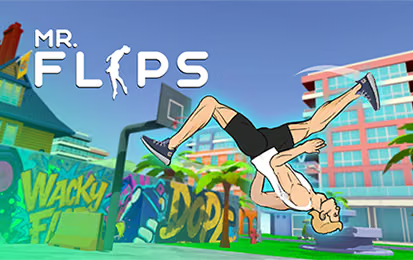
Mr Flip is an arcade stunt game built around parkour and gymnastic movement. You launch from different environments and guide the character through a flip toward a landing area. A successful attempt depends on both the jump and the rotation that follows it.
The settings range from rooftops to basketball courts. A change in height or target position can make a familiar input feel different, so use a simple attempt to read each new location. Once you know where the character travels, you can experiment with more ambitious rotations.
How to Play Mr Flip
Inspect the route, build the jump, and control the body position before landing.
- Look at the starting platform and the landing area.
- Hold the mouse input to prepare the jump.
- Release to launch into the air.
- Hold during flight to rotate, then release to settle into a landing position.
- Compare the result with the current challenge and adjust the next attempt.
Controls & Timing
Jump strength sets the route
The first hold prepares the jump. If the character does not reach the useful area, review that initial timing before assuming the airborne rotation was the only problem.
Rotation needs an end point
During flight, a second hold adjusts the body position. Watch the remaining distance to the platform and release in time to prepare for contact.
Controls
| Input | Action | When to use |
|---|---|---|
| Hold mouse | Adjust jump strength | Prepare the launch. |
| Release | Jump | Leave the platform. |
| Hold during flight | Rotate | Control the flip. |
| Release during flight | Set landing position | Prepare for contact. |
High Score Tips
- Read the location first. Note the landing area and the height of the starting platform before selecting your jump timing.
- Repeat a basic jump. Use one familiar takeoff to see how far the character travels, then make a small timing adjustment.
- Separate launch and rotation. If the initial trajectory is wrong, correct the first hold before changing the aerial input.
- Leave a landing window. Release the rotation before contact so the character has time to reach the intended position.
- Reset expectations in a new environment. A rooftop and a court can present different distances; establish a new baseline before attempting a combination.
Key Features
- Timed jumps: Hold and release to begin each attempt.
- Controlled rotation: Use a separate aerial input to shape the flip.
- Landing challenges: Finish in the target area.
- Different settings: Explore environments including rooftops and courts.
- Ragdoll reactions: Movement and missed landings respond to the physics system.
Frequently Asked Questions
How do I begin a jump?
Hold the mouse input to prepare and release it to launch. Use the later hold during flight for rotation.
How do I prepare for the landing?
Release the airborne hold before contact with the target. The timing determines the character's body position as the landing approaches.
What should I change after a missed target?
First decide whether the problem was the distance from the launch or the rotation near the landing. Adjust that part while keeping the other input familiar.
Are all locations identical?
Explore multiple environments, including rooftops and courts. Read the starting position and target for each challenge rather than assuming a previous timing will always fit.