





About Animal Hospital 3D Sandbox
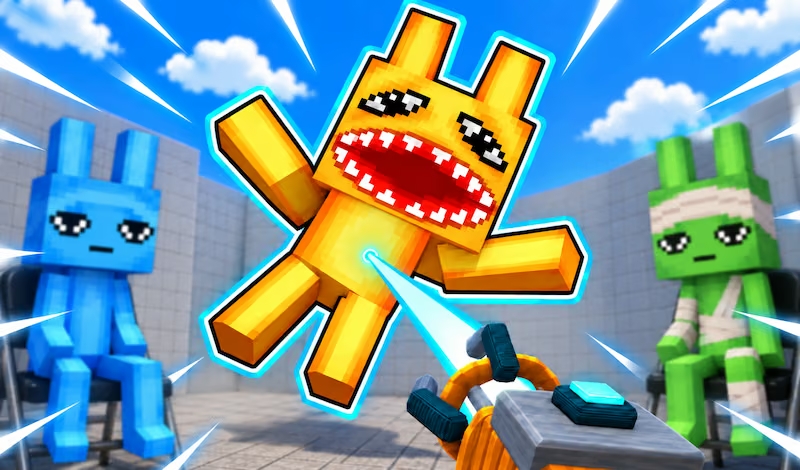
Animal Hospital 3D Sandbox is an open-ended physics playground with several environments and objects to interact with. Despite the title, the game focuses on building and experimentation rather than hospital management. You can place structures, move objects, use weapons, and explore how characters or vehicles respond to the scene.
The choice of setting changes the space available for a setup. An open arena gives you room to inspect a construction, while a more confined environment invites a different layout. Start with a few pieces, then build around an interaction you want to observe.
How to Play Animal Hospital 3D Sandbox
Choose an available environment, place objects, and use the current tool to explore the setup.
- Select a world and look around for a suitable building area.
- Press Q to open the item menu and choose a few pieces.
- Arrange the objects and leave space to move around them.
- Use the selected tool to interact with the scene.
- Adjust the setup or visit another environment for a different experiment.
Controls & Timing
Choose the space first
A flat area is useful for seeing an arrangement from several sides. A building or other confined space changes where objects can be placed, so consider the environment before planning the construction.
Check the current interaction
The mouse buttons perform actions associated with the selected tool. F is used for environmental interactions such as doors and vehicles. Read the context before using an input near an object you want to keep in place.
Controls
| Input | Action | When to use |
|---|---|---|
| WASD or arrow keys | Move | Explore the current world. |
| Space | Jump | Move over an obstacle. |
| Q | Open the item menu | Choose available objects. |
| F | Interact | Enter a vehicle or use a door or lever. |
| Left mouse button | Primary tool action | Build, use equipment, or grab an object. |
| Right mouse button | Secondary tool action | Break or throw with the relevant tool. |
High Score Tips
Try these ideas to make your building and exploration sessions easier to follow.
- Pick a manageable area. A flat space makes it easier to see the positions of your first few pieces.
- Build one structure at a time. Start with a small arrangement, inspect it, and add more only after you understand the layout.
- Test the object tool in open space. Observe how an item moves before using it close to other parts of a construction.
- Use the setting as a constraint. Try adapting the same basic scene to an open arena and a building, noting how the available space changes your choices.
- Read the interaction context. Doors, levers, and vehicles are different activities; approach the intended object before using F.
Key Features
- Multiple environments: Explore settings including an arena and a hospital.
- Item menu: Select objects for a custom scene.
- Building tools: Arrange structures and obstacles.
- Object manipulation: Move characters, vehicles, and other objects with available equipment.
- Open-ended play: Choose what to build or test without a fixed mission sequence.
Frequently Asked Questions
Is the game mainly about running a hospital?
It is a physics sandbox with several environments, including a hospital, where you can build, explore, and interact with objects.
How do I select objects?
Press Q to open the item menu, then choose an available piece for the scene you want to create.
Can I explore before building?
Yes. Move around the selected world and look for an area that gives your setup enough space. You can open the item menu when you are ready to place a piece.
What does F do?
Press F to interact with vehicles, doors, and levers. The available action depends on the object you approach.