



About Humans Playground
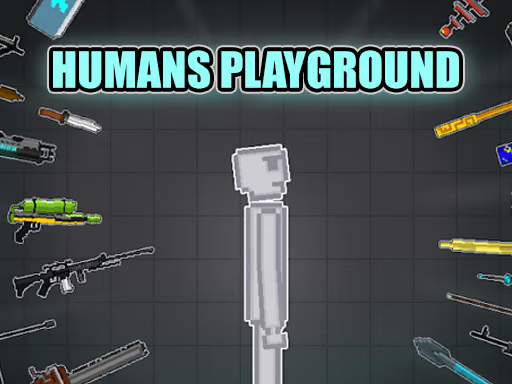
Humans Playground is an open-ended physics sandbox in which you can place characters and objects and make your own scenarios. The available items include vehicles, mechanical pieces, weapons, and other tools. Rather than follow a fixed sequence of levels, you choose what to construct and what interaction you want to observe.
One session might focus on building a vehicle; another might use a character and a small arrangement of objects to study how motion changes after contact. Starting with a clear idea helps you decide which pieces are needed and makes the result easier to understand.
How to Play Humans Playground
Choose the pieces for a scene, arrange them, and observe how they behave when you interact with the setup.
- Select an available character or object from the game interface.
- Place it in an area where you can see its surroundings.
- Add a second piece or a tool that can interact with the first.
- Use the displayed interaction controls and watch the resulting movement.
- Revise the arrangement or build a different scenario.
Controls & Timing
Build with a purpose
Decide whether you are making a vehicle, testing a character's movement, or arranging another scene. That choice determines which objects to add first and prevents the space from becoming difficult to read.
Observe before changing the setup
Follow the first interaction through to its result. If several pieces move at once, separate them in the next attempt so you can identify which contact changed the route.
Controls
| Action | Use |
|---|---|
| Choose an item | Select a character, prop, or tool for the scene. |
| Place and adjust objects | Arrange the starting positions before testing. |
| Use the selected interaction | Observe how the scene responds. |
Follow the on-screen prompts for the controls you need.
High Score Tips
Use these suggestions to plan and compare your experiments.
- Choose one question. Test whether a vehicle moves as intended or how a character reacts to an object. A clear goal makes the result easier to interpret.
- Keep the first scene small. Add only the pieces needed for the initial test. You can expand the setup after you understand their roles.
- Leave room for movement. A vehicle or mechanical construction needs a visible route. Give it space so its first contact is not hidden behind other items.
- Change one component. Replace or reposition a single piece while keeping the rest of the arrangement familiar, then compare what happens.
- Try a different scenario. Use the same objects for a different purpose, such as a vehicle test instead of a stationary scene, to see which properties matter in each setup.
Key Features
- Open-ended scenes: Choose the objective for each experiment.
- Characters and objects: Combine pieces in different arrangements.
- Mechanical tools: Build and test contraptions using available items.
- Vehicle experiments: Use vehicles and tools to create a different kind of setup.
- Physics interactions: Observe how objects and characters respond to contact.
Frequently Asked Questions
Does the game have a fixed campaign?
The game is an open sandbox focused on creating scenarios and testing interactions. Choose an idea you want to explore rather than expecting a required campaign order.
What is a good first experiment?
Place one character and one object in a clear area. Observe how they interact, then add a second object or change one position for comparison.
Can I try making a vehicle?
Use available tools and vehicles to make and test custom cars. Check the in-game item selection for the pieces available in the current version.
Which key places an object?
Use the on-screen prompts to select, place, and interact with objects.