



About School Fury
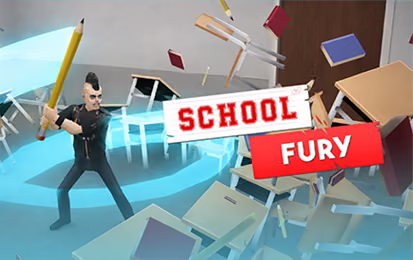
School Fury uses classrooms, corridors, and labs as cartoon destruction arenas. Breakable objects provide points, while movement and attack timing determine how efficiently a room is cleared. Coins open further equipment and areas. The game presents exaggerated fictional destruction; its objective is to work through the objects in the game environment.
How to Play School Fury
- Look for a connected group of furniture or equipment.
- Move into reach and use the attack input.
- Continue toward remaining targets without circling through cleared floor.
- Review the end of the run and choose an upgrade that fits the next attempt.
Controls & Timing
A corridor can make nearby targets look more accessible than they are. Check the route around corners before assuming you can chain two groups together. If movement repeatedly stops against the same object, change the entry angle rather than continuing the same attack from an ineffective position.
Controls
| Input | Action |
|---|---|
| WASD or arrow keys | Move |
| Space | Attack or interact |
High Score Tips
- Begin with a compact cluster to learn attack reach before attempting a fast room-wide route.
- Clear a useful path through the room instead of leaving a barrier between you and the next target.
- Compare the same layout after changing equipment to see whether it reduces wasted movement.
- Watch the remaining time when deciding between one nearby object and a distant larger group.
Key Features
- Breakable school-themed rooms
- Timed scoring and combo play
- Equipment and area progression
Frequently Asked Questions
Do I need a separate interaction key?
Space is listed for attack and interaction. Follow additional prompts if the current room presents them.
How do coins help?
They support equipment upgrades and progression options between destruction attempts.