
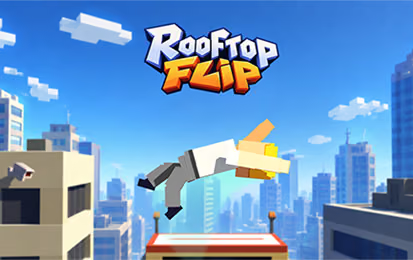
About Flip Physics
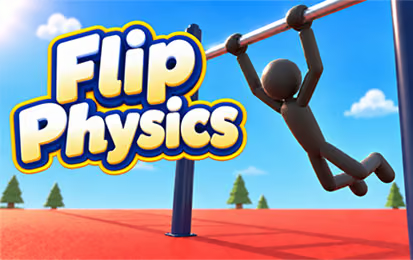
Flip Physics is a gymnastics-style game centered on manual movement and momentum. Swing on a horizontal bar, release into the air, and try body positions such as an arch, tuck, layout, or pike. Timing the release affects the direction and height of the flight, while the selected position changes how the stunt unfolds.
An advanced attempt can include returning to the bar for a regrab. Before attempting a long combination, learn the basic swing and observe how one body position changes a familiar launch. Separating those decisions gives you a better way to understand why an attempt landed differently.
How to Play Flip Physics
Start an attempt, build a swing on the bar, and select a body position for the aerial part of the stunt.
- Start the attempt with left click or Space.
- Observe the swing and build momentum before releasing from the bar using the game's displayed control.
- Try an arch or tuck input and watch how the body position changes.
- Prepare for the landing or, when attempting a combination, look for the return toward the bar.
- Compare the result and adjust one part of the timing or body position on the next attempt.
Controls & Timing
The swing sets up the launch
Build a larger swing before releasing. Watch the direction of movement at the point you leave the bar; changing the release moment can change the flight before any aerial position is applied.
Body positions affect the stunt
An arch and a tuck serve different movement roles. Practice each on a familiar swing, then compare the rotation and landing. This makes it easier to understand a position before combining it with another input.
A regrab is another target
Return to the horizontal bar after an aerial sequence. Treat the bar as a target to approach deliberately; a longer sequence is useful only when the path still leaves an opportunity to return.
Controls
| Input | Action | When to use |
|---|---|---|
| Left click or Space | Start | Begin an attempt. |
| J or Up arrow | Arch | Try an extended body position. |
| K or Down arrow | Tuck | Change the body position during a stunt. |
| L or Left arrow | Layout | Use the listed layout position. |
| I or Right arrow | Pike | Use the listed pike position. |
| Q / W | Twist left / right | Add the corresponding twist. |
| O / U / S | Flash / squat / stick | Use these additional body positions during your routine. |
Follow the on-screen prompts for releasing and regrabbing the bar.
High Score Tips
- Learn the swing before adding tricks. Watch how the character travels around the bar and choose a repeatable release moment. A familiar launch makes later changes easier to compare.
- Practice one body position at a time. Try an arch on one attempt and a tuck on another while keeping the starting swing similar. Notice the different rotation before combining them.
- Separate direction from rotation. If the character leaves the bar on an unsuitable path, adjust the release timing first. Changing several aerial inputs may hide the original problem.
- Watch the next target. For a landing, monitor the available landing area. For a regrab attempt, pay attention to the flight back toward the bar.
- Extend a combination gradually. Add one new position or twist to a stunt you already understand. If the route becomes difficult to follow, return to the simpler version and isolate the change.
- Use a failed attempt as a comparison. Decide whether the problem arose during the swing, release, aerial position, or return. Change that decision rather than replacing the entire sequence.
Key Features
- Horizontal-bar swing: Build momentum before an aerial launch.
- Manual positions: Select an arch, tuck, layout, pike, and other poses.
- Twist controls: Use separate inputs for left and right twists.
- Landing decisions: Control the stunt with the next contact in mind.
- Regrab combinations: Return to the bar to extend a sequence.
Frequently Asked Questions
How do I start an attempt?
Left-click or press Space to start. Follow the on-screen prompt to release the bar.
What is the difference between arch and tuck?
An arch extends the body, while a tuck helps with rotation. Try each on a familiar swing to compare how the character moves.
Can I return to the bar?
You can regrab the bar after an aerial sequence. Watch the character's route toward the bar and check the current game's prompts for the action used to catch it.
Should I use every position immediately?
No. Start with one position and a repeatable swing. Adding inputs gradually makes it easier to identify which choice changed the stunt.