

About Wacky Flip
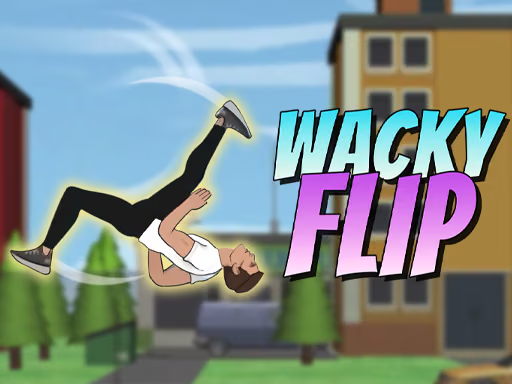
Wacky Flip is a stunt game that combines timed jumps, aerial rotation, and ragdoll-style landings. Each attempt begins from a platform, and the challenge is to perform the intended flip while reaching the landing area. As you complete challenges, the game opens further locations and more demanding setups.
The input sequence has distinct stages: prepare, launch, rotate, and release for the landing. When an attempt misses, identify which stage needs adjustment. Changing the takeoff timing and the rotation at the same time makes it harder to understand which decision caused the result.
How to Play Wacky Flip
Inspect the landing area, prepare the jump, and control rotation before the character reaches the ground.
- Look at the starting platform and the intended landing area.
- Click or touch and hold to prepare the crouch.
- Release to jump from the platform.
- Hold the input in the air to rotate, then release to prepare for landing.
- Complete the current challenges to progress to later locations.
Controls & Timing
Takeoff and rotation are separate
The first hold prepares the jump; releasing launches the character. The later hold controls the flip. If a run starts poorly, revisit the takeoff before trying to correct everything during the rotation.
Leave time for the landing
Holding the rotation longer produces a different body position when the character reaches the target. Watch the remaining distance and release in time to prepare for contact with the landing area.
Controls
| Input | Action | When to use |
|---|---|---|
| Hold click or touch | Crouch | Prepare the jump. |
| Release | Jump | Launch from the platform. |
| Hold during flight | Rotate | Perform a flip. |
| Release during flight | Prepare to land | Finish the rotation before contact. |
Use the on-screen prompts for the controls available on your device.
High Score Tips
- Identify the landing area first. Knowing where you need to finish gives the jump a direction before you start the crouch.
- Establish a basic rotation. One controlled flip is a useful baseline. Add a more complex combination only after you can recognize the landing window.
- Separate the two holds. If the character launches too early or too late, adjust the initial crouch rather than changing the rotation input at the same time.
- Watch the remaining travel time. Release the aerial hold before the character reaches the platform so the landing position has time to develop.
- Use the current challenge as feedback. When a location changes the launch height or target, return to a simple flip before applying a sequence that worked elsewhere.
Key Features
- Timed takeoff: A hold and release determine when the character jumps.
- Aerial rotation: Control the flip with a separate hold during flight.
- Landing targets: Position and timing matter at the end of an attempt.
- Challenge progression: Completing objectives opens later locations.
- Trick combinations: More advanced attempts can combine available flips.
Frequently Asked Questions
How do I start a jump?
Hold the click or touch input to crouch, then release to jump. The airborne hold is a separate action used to rotate the character.
How do I stop rotating?
Release the input during flight to prepare for the landing. Watch the remaining distance to the platform so the release is not left until the last moment.
Should I try several flips immediately?
Start with a controlled single rotation. Once you can identify the takeoff and landing windows, experiment with combinations and compare how they affect the result.
How do I reach other locations?
Complete the challenges in the current level to open later locations. Review the objective displayed for the attempt you are playing.