
About Basket Random
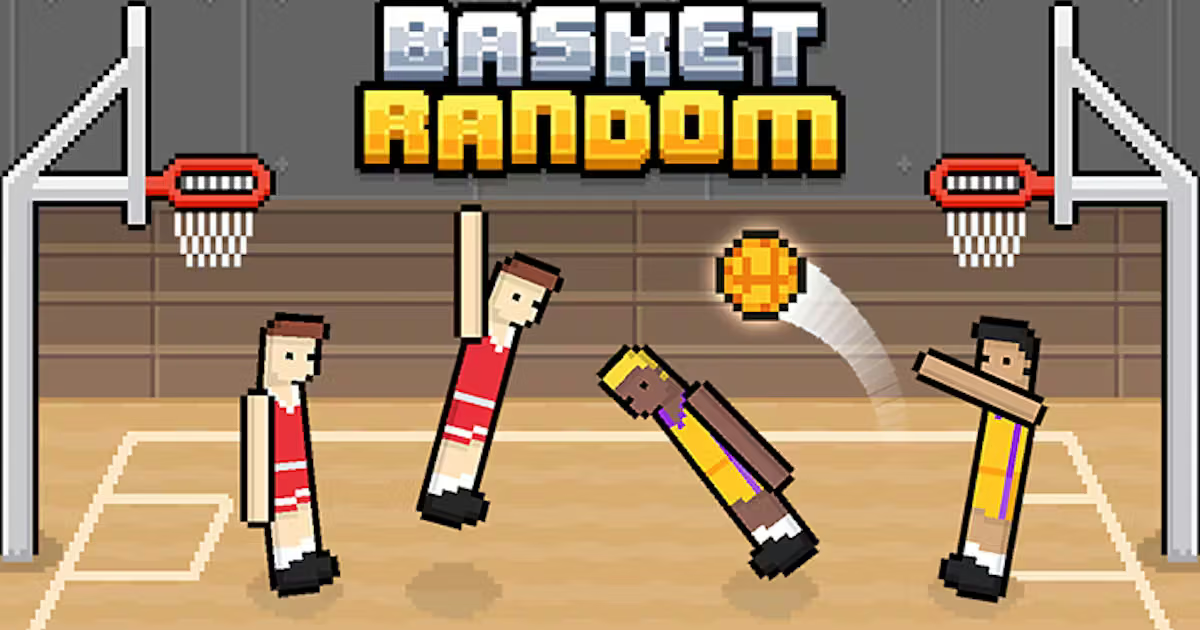
Basket Random is an arcade basketball game in which each input moves both characters on your team. Play alone or with a friend as the scenery changes between rounds. The shared control turns timing into a team-wide decision: an action that helps one player may also move the other away from a useful position.
Begin by watching the ball and the space between both teams. When an attempt ends in a rebound, locate your players before pressing again. That brief observation can help you decide whether the next action should pursue the ball or protect your side of the court.
How to Play Basket Random
Select a match mode, learn the assigned input, and time your team's movements around the ball and the basket.
- Choose single-player or two-player mode.
- Identify your team's input before the round begins.
- Watch the ball and press when both players are in a useful position to contest it.
- Follow the result of the interaction and look for the rebound.
- Reassess the court and your team's position when the next round begins.
Controls & Timing
One input moves two players
Both teammates move together. Look at both characters before pressing: one may be close to the ball while the other is protecting useful space nearer your basket.
The next round begins with new information
The scenery can change after a restart. Take a moment to locate the ball and players in the new arrangement before using the same rhythm as the previous exchange.
Controls
| Input | Action | When to use |
|---|---|---|
| Up arrow | Control both characters on Player 1's team | Use in solo play or as Player 1 in a two-player match. |
| W | Control both characters on Player 2's team | Use in a two-player match. |
Player 1 uses the up arrow, while Player 2 uses W. Follow any additional prompts shown in the game.
High Score Tips
- Check both teammates. A shared input moves both characters, so consider the player away from the ball as well as the one closest to it.
- Watch the rebound. A missed attempt can send the ball back toward either basket. Locate its new path before committing to another move.
- Protect your side after attacking. If both characters moved forward, assess the space behind them before trying to contest the ball again.
- Start each round by locating the ball. Changing scenery or a different visual arrangement can make the opening less familiar. Read the current setup first.
- Adjust one timing decision. If your team repeatedly moves too early, wait for a clearer ball position on the next exchange rather than changing the whole approach.
Key Features
- Two-character teams: One input controls both teammates.
- Physics-driven matches: Players and the ball produce changing interactions.
- Solo mode: Play against a computer opponent.
- Two-player mode: Share a match using separate keyboard inputs.
- Variable presentation: Scenery and other visuals can change between rounds.
Frequently Asked Questions
Which key does Player 1 use?
Player 1 uses the up arrow, including in solo play. In a two-player match, Player 2 uses W.
Do I control each teammate separately?
Both characters on a team move together when you press the control. Consider where both are before making an action.
Can two people play on the same screen?
Yes. Choose two-player mode to share a match with a friend using separate keyboard controls.
What should I do after a missed shot?
Follow the rebound and check the positions of both teammates. The ball's new direction may call for recovery toward your basket instead of another immediate attack.