



About Ragdoll Flip
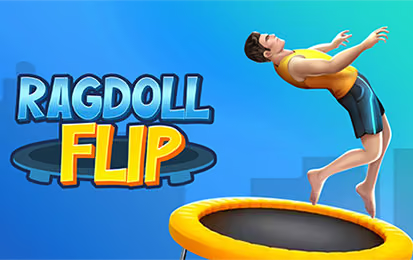
Ragdoll Flip is a trampoline-based skill game about managing a character's movement in the air. A jump becomes an opportunity to rotate, but the attempt also depends on returning to a useful landing position. Holding the input and watching the character's location are separate parts of the same decision.
Start with a modest flip rather than attempting the longest combination immediately. A reliable first rotation helps you see how quickly the character moves and when to stop. From there, you can compare a longer hold with the baseline you already understand.
How to Play Ragdoll Flip
Begin a trampoline jump, hold the input to rotate, and watch the character's landing position.
- Start the jump with left click or Space.
- Hold the input to control the flip during the jump.
- Watch the character's position relative to the trampoline.
- Move the mouse to adjust the landing position.
- Review the attempt and change the rotation timing if necessary.
Controls & Timing
The hold controls the flip
The duration of the input changes the character's rotation. Learn the amount needed for a single flip before trying to extend the motion into a longer combination.
Landing position remains a separate task
Move the mouse to adjust the landing position. Keep an eye on where the character is above the trampoline as well as on the direction of the rotation.
Controls
| Input | Action | When to use |
|---|---|---|
| Left click or Space | Start the jump and flip | Begin an attempt. |
| Hold input | Control flip speed | Adjust rotation during flight. |
| Mouse movement | Adjust landing position | Prepare for the return to the trampoline. |
High Score Tips
- Use one flip as a reference. Practice a single controlled rotation so you can recognize its timing before extending the hold.
- Watch position and rotation together. A well-timed flip is less useful if the character is not aligned with the landing area.
- Release before the last moment. Give yourself time to see the body position and make the available landing adjustment.
- Compare similar attempts. Change the hold duration while keeping the rest of your approach familiar, then observe the difference.
- Increase difficulty gradually. Try a longer combination after consistent basic landings, and return to the simpler attempt if you lose track of the timing.
Key Features
- Trampoline setting: Use repeated jumps to practice movement.
- Ragdoll rotation: Control a character's flip in the air.
- Hold-based input: The duration of an input affects the rotation.
- Landing adjustment: Watch and adjust position before the return.
- Repeatable attempts: Compare small timing changes from run to run.
Frequently Asked Questions
What starts the jump?
Left-click or press Space to start the jump and rotation. Hold the input to control the flip as the character moves.
How do I adjust the landing?
Move the mouse to adjust the landing position. Watch the character relative to the trampoline while preparing for the return.
Should I aim for several flips at once?
A single repeatable rotation is a useful first goal. Once you know its timing and can land it, try extending the hold and compare the result.
What if the rotation is good but the landing misses?
Treat alignment as a separate part of the attempt. Keep the familiar rotation and pay more attention to the character's position over the trampoline.