
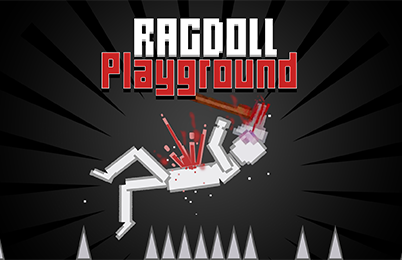

About Ragdoll Playground
Ragdoll Playground is a 2D physics sandbox in which you choose what goes into a scene. Characters, vehicles, weapons, and other objects give you different ways to build an experiment. Instead of following a required mission, you can set up a situation, observe the result, and decide what to change next.
Explore several environments and a range of interactive objects. That freedom makes the first choice important: decide whether you want to observe a single collision, construct a larger arrangement, or explore how objects respond to one another. A simple starting scene provides a useful reference when you later add more pieces.
How to Play Ragdoll Playground
Choose an environment and create a scene with items from the available menu. Use the mouse to position the objects, interact with the setup, and observe the result.
- Choose an available environment and look at the open space.
- Select a character or object and drag it into the scene.
- Add another piece that can interact with the first one.
- Use the available object functions and watch what happens.
- Move, replace, or remove a piece before trying a different arrangement.
Controls & Timing
Place before activating
Take time to position the objects before triggering an interaction. If the pieces are too close together, it can be difficult to see what moved first. Leaving space between them helps you follow the sequence.
Observe the full path
Watch where an object or character travels after the first contact. The first reaction may determine whether it reaches another piece. Reposition the next object only after you know where the path tends to lead.
Controls
| Input | Action | When to use |
|---|---|---|
| Mouse | Select and drag objects | Place a piece in the environment. |
| Available function button | Interact with an item | Test the selected object's behavior. |
Use the mouse to place objects and follow the on-screen prompts for additional actions.
High Score Tips
This sandbox does not require a score. Use these suggestions to make experiments easier to compare.
- Give each setup one question. Decide which interaction you want to watch before adding extra objects. A clear question helps you judge whether the arrangement answered it.
- Separate the pieces. Start with enough room to follow their movement. Crowded placements can obscure the first contact and make the outcome harder to interpret.
- Repeat a familiar starting arrangement. Keep the initial positions consistent when comparing an adjustment. The difference in results is then easier to connect to the change you made.
- Move the next object into the observed path. If the character or item consistently travels away from your second object, reposition that object instead of adding more pieces nearby.
- Try another environment deliberately. Space and layout influence how you arrange a scene. Start with the same simple idea in the new environment before building a larger setup.
Key Features
- 2D sandbox: Arrange a scene from a side-on view.
- Characters and props: Choose different pieces for an experiment.
- Mouse placement: Drag selected items into position.
- Interactive objects: Use available functions to change the setup.
- Multiple environments: Choose a setting for a new arrangement.
Frequently Asked Questions
Is there a fixed mission to complete?
The game is described as an open-ended sandbox. You choose the objects and decide what to test rather than following a required mission sequence.
What should I put in my first scene?
Start with one character and one object that you can place nearby. Observe their interaction, then introduce another piece after you understand the first result.
How do I place an item?
Select it from the available items and use the mouse to drag it into the scene. Follow the on-screen prompts for any additional commands associated with that item.
Can I change the setup after a test?
The sandbox is designed around arranging objects and trying different combinations. Reposition or replace a piece and compare the next result with the first.