

About Ragdoll Arena
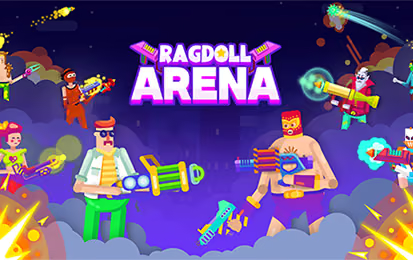
Ragdoll Arena is a fighting game set in small arenas where character movement can become difficult to predict. Fighters move, jump, and use available weapons while the environment adds hazards that can interrupt an otherwise straightforward approach.
Position is a useful starting point for learning the game. Watch how far a short movement or jump carries your fighter, then consider where that action will leave you relative to the opponent and the arena's obstacles. Once you can recover from an awkward landing, it becomes easier to make a deliberate next move.
How to Play Ragdoll Arena
Enter an available encounter, learn the arena, and use movement and equipment to respond to the opponent.
- Start an available mode and identify the nearby hazards.
- Move with A / D or the left and right arrow keys.
- Jump with Space when you need a different position.
- Use the mouse for the available weapon interactions.
- Observe the result of each exchange and reposition before the next one.
Controls & Timing
A jump needs a landing
Before jumping, consider both the obstacle you want to pass and where the fighter may land. In a compact arena, a long jump can leave less room to correct the next movement.
Equipment changes the next decision
The mouse is used for aiming and the available weapon interactions. Check what the fighter has before choosing a range or direction; the same position may not suit every weapon.
Controls
| Input | Action | When to use |
|---|---|---|
| A / D or left / right arrows | Move | Approach or reposition. |
| Space | Jump | Change height or move past an obstacle. |
| Mouse | Aim and interact with weapons | Use the available weapon in an encounter. |
High Score Tips
- Inspect the arena before closing distance. Notice hazards and edges that could affect your route, especially when a short approach gives you more room to react.
- Use movement in small decisions. Test how far the fighter travels with a brief input before relying on a long movement near an obstacle.
- Plan the landing. A jump can solve one positioning problem while creating another. Look at the space beyond the obstacle before using it.
- Reassess after a collision. Your fighter may no longer face the same direction or occupy the same place. Establish the new position before choosing the next action.
- Test equipment deliberately. Weapons and shields can be upgraded. Try an available option in a familiar arena so you can understand what changes.
Key Features
- Compact arenas: Limited space makes position important.
- Ragdoll movement: Momentum affects how fighters move and recover.
- Environmental hazards: Arena objects can interrupt a route.
- Weapon interactions: Use available equipment during encounters.
- Training and multiplayer modes: Practice or face other players in the available modes.
Frequently Asked Questions
How do I move?
Use A / D or the left and right arrow keys to move, Space to jump, and the mouse to aim and interact with weapons.
Why is positioning important?
The arenas contain hazards and the characters move with ragdoll physics. Knowing where you may land after an action helps you avoid turning one movement into a more difficult next position.
Can I practice before facing other players?
Yes. Choose a training mode to practice or try an available multiplayer encounter.
Does a new weapon change my approach?
It can change which position or range is useful. Try the available equipment in a familiar arena and observe how it fits your movement before changing several choices at once.